An event enquiry needs a clear path from first contact to delivery.
The website is live. The operating interface brings project and commercial status into one place.
 Venture & Operations Group
GEVON connected DeSignature’s public website with the tools that carry an enquiry into commercial review and event delivery.
From enquiry to project workspace. A recreated demonstration of the CRM workflow GEVON built.
24 seconds · Recreated interface · Fictional records · Original synthesized soundtrackThe website is live. The operating interface brings project and commercial status into one place.
An event enquiry needs a clear path from first contact to delivery.
A cinematic website connected to CRM, project workspaces, quotations, invoices and delivery records.
The website is live. The operating interface brings project and commercial status into one place.
The public experience attracts interest. The team then needs scope, decisions and documents to stay connected.
Enquiries, commercial records and delivery tasks follow the same project context.
The website presents the work; the private workspace supports enquiries, quotations, invoices and delivery.
Website and interface evidence are shown below. Microsoft 365 and SharePoint connections remain prepared, not connected.
Select a node to change the proof stage. Open the detail drawer when you want the deeper technical explanation.
Review the requirement before converting a qualified lead into a project.
The team keeps the original enquiry in context.
These sample records illustrate the workflow. They are not live client records.
| Enquiry | Source | Requirement | Status | Next step |
|---|---|---|---|---|
| DS-101 | Website | Corporate gala | Qualified | Prepare scope |
| DS-102 | Referral | Brand launch | Quotation | Await decision |
| DS-103 | Direct | Private dinner | Follow-up | Confirm date |
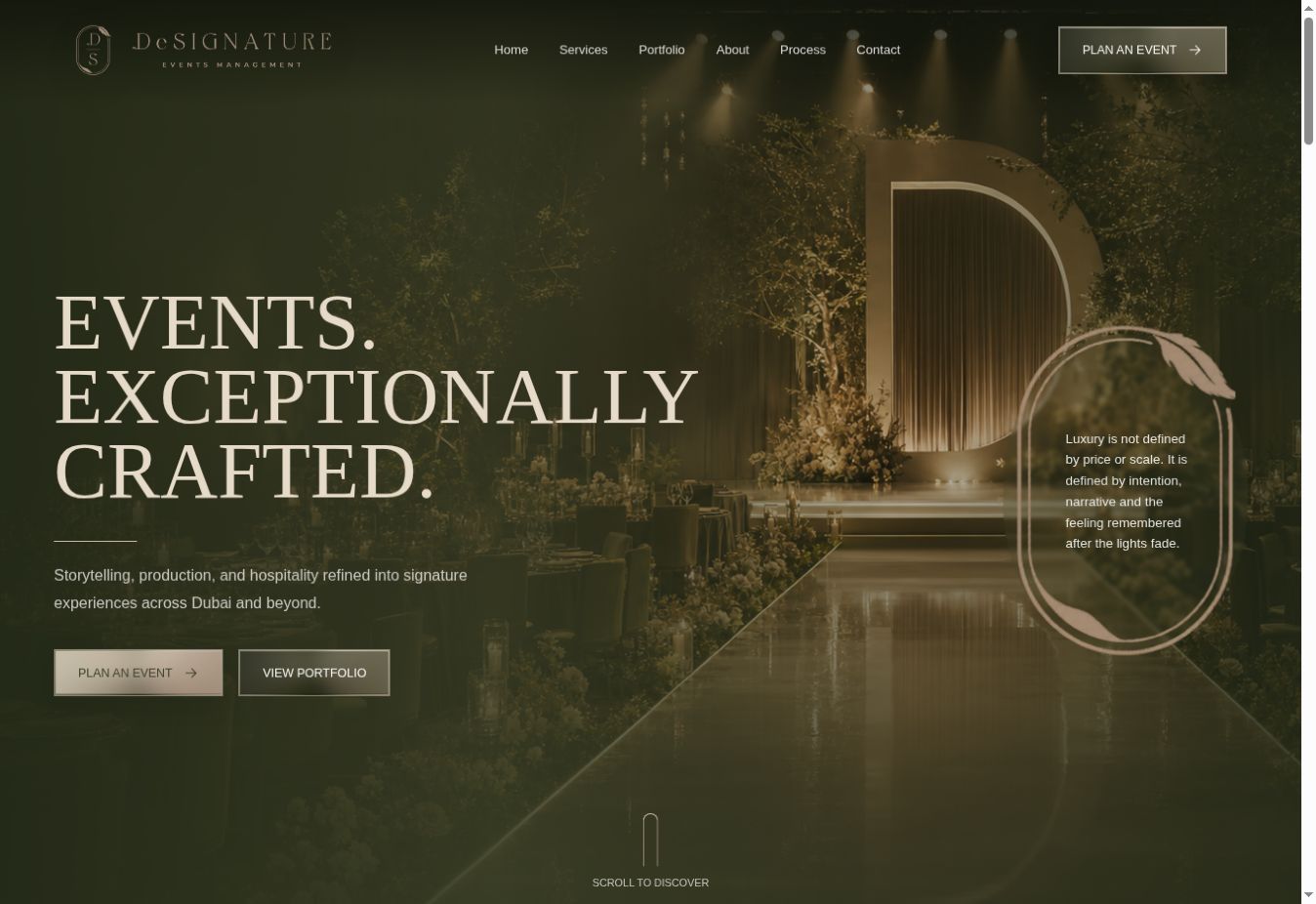
The current venture website is the public entry point to the connected system.
Review the requirement before converting a qualified lead into a project. The team keeps the original enquiry in context.
Connect scope, tasks, vendors and documents in the project workspace. Delivery has a shared reference.
Prepare and track quotations alongside the project. Quotation status stays visible; autonomous document generation is not claimed.
Review invoice and payment status in the project’s finance view. Follow-up stays connected to delivery.
Review quotation, invoice, payment and vendor context. Commercial decisions have a clear reference.
Bring tasks, documents, vendors and approvals into the handoff. The delivery team can follow the agreed work.